Elevate your PC experience with Monect PC Remote, a versatile and free app designed to give you full control of your computer — whether you’re nearby or miles away.
Key Features:
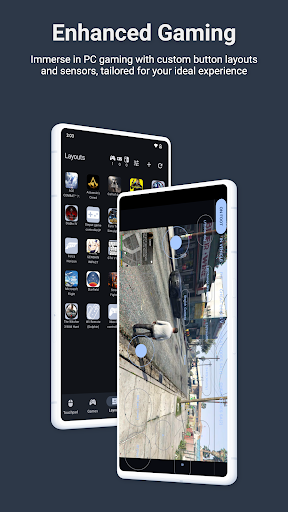
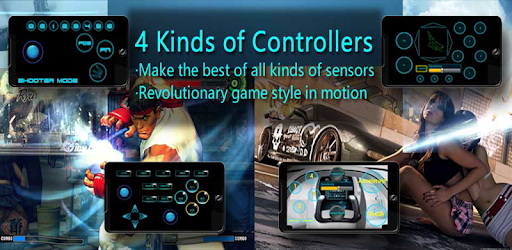
* Enhanced Gaming: Immerse yourself in PC gaming with custom button layouts and onboard sensors. Tailor them to your preferences for an unbeatable gaming experience.
* Real-time Screen and Camera Sharing: Share your PC screen and camera feed seamlessly with your smartphone. Experience your PC as if it’s right in your hand.
* Virtual Camera: Use your phone’s high-quality camera as a virtual webcam on your PC. Perfect for video calls, streaming, and online meetings with crystal-clear visuals.
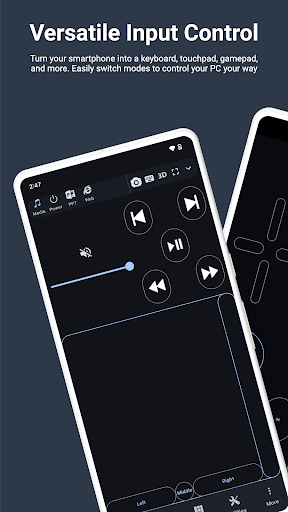
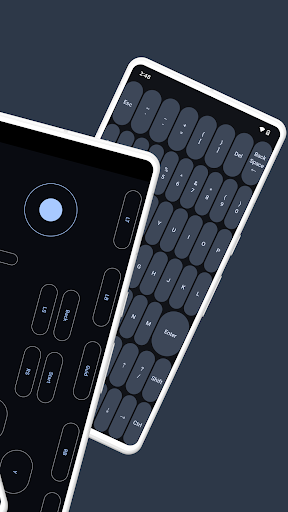
* Mouse and Keyboard Control: Use your phone as a wireless mouse and keyboard for your PC. Navigate, type, and control your computer effortlessly from anywhere.
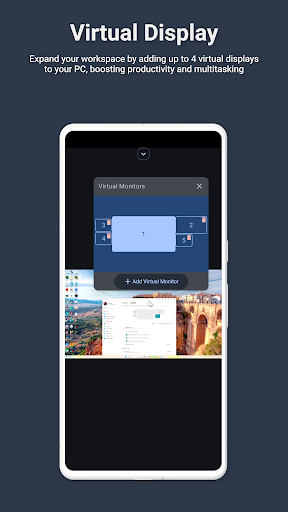
* Multi-Display Capabilities: Expand your workspace by adding up to 4 virtual displays to your PC, boosting productivity and multitasking.
* Digital Artistry: Turn your device into a graphics drawing tablet with support for pressure-sensitive stylus pens. Unleash your creativity in software like Adobe Photoshop.
* Effortless File Transfer: Seamlessly transfer files between your devices for ultimate convenience.
* Top-Notch Security: Rest easy with our 256 Bit AES Session Encoding for secure remote network connections.
How to Use:
1. Installation: Download Monect PC Remote from Google Play and the PC Remote Receiver from [https://www.monect.com/](https://www.monect.com/) on your computer.
2. Connect Your Device: Choose from multiple connection options:
* Local Wi-Fi (on the same network)
* Remote Wi-Fi (across different networks)
* USB tethering from your device
* Share your device’s Wi-Fi hotspot
* Bluetooth
Note: Adobe Photoshop is a registered trademark of Adobe in the United States and other countries.
Whats News of PC Remote
What’s New:• Edit and create layouts directly from the remote desktop screen
• New background touchpad with full gesture support for smoother control
• Buttons now feature a glow effect on press for clearer feedback
• Redesigned bottom navigation bar with improved responsiveness
• Refreshed settings badge with a modern look
• Adjustable layout transparency with an enhanced sliderImprovements:• Improved stability with fixes for background service crashesExperience the freedom and control that Monect PC Remote offers, making your PC a truly versatile and powerful tool for work, play, and creativity — now with Virtual Camera and wireless Mouse & Keyboard control for even more possibilities.














There are no comments yet :(